
Loading...

Keyword integration in content means mapping one primary keyword to a page and reinforcing it with semantic variants placed in high-impact spots: the title, H1, and first 100 to 150 words of body text. The single best practice is intent-first placement paired with semantic enrichment, using synonyms and related entities instead of chasing exact-match frequency. Get that right and the rest of this guide shows you the research, placement, and editing workflow to pull it off.
TL;DR:
- Using intent-first placement and semantic enrichment ensures search engines and readers recognize the content's relevance without heavy reliance on exact match frequency.
- Building a content-to-keyword map before writing prevents keyword stuffing and helps diversify term placement across sections based on search intent.
- Placing primary keywords in the title, H1, opening paragraph, and key subheadings has the most impact, with secondary and long-tail variants supporting natural flow.
- Combining human editing with AI tools like Semihuman can turn stiff drafts into natural, well-integrated content that reads authentically.
- Regularly analyzing query reports in Search Console and monitoring traffic patterns helps identify over-optimization, cannibalization, or intent mismatches for ongoing improvement.
Keyword integration is the deliberate, contextual placement of a primary search phrase, its close variants, and semantically related language throughout a piece of content. It signals topical relevance to search engines and, just as important, to the human reading it. The practice has shifted away from older "density" thinking, where writers counted exact-match repetitions and tried to hit a target percentage. Search engines now weigh intent and contextual relevance over raw frequency, which means a page can rank for dozens of related queries without ever repeating the exact target phrase more than a handful of times.
That distinction matters for anyone building a content keyword strategy at scale. A blog post stuffed with one phrase ranks worse than a post that answers the question thoroughly and uses natural variation. The goal isn't to trick an algorithm. It's to prove, through language, that the page genuinely covers the topic a searcher typed into the box.
Two terms get used interchangeably that shouldn't be: keyword integration and keyword insertion. Insertion is mechanical, pasting a phrase into a sentence regardless of whether it reads well. Integration is structural, deciding in advance which sections carry which terms, then writing those sections so the terms belong there. The rest of this guide walks through that structural approach step by step.
Start by deciding the page's intent, not its phrase. Is the reader trying to learn a concept, compare options, or complete a task? Once you know the intent, pick a single primary keyword that matches it exactly. A page trying to rank for "keyword integration in content" is an informational, how-to page, not a product comparison, and that decision shapes every research step after it.
From there, build a list of supporting variants around that one primary term:
Tools help here, but they're not the whole story. Moz recommends looking beyond keyword-tool lists entirely, pulling language from audience research, site search logs, customer reviews, and conversations with sales or support teams who hear the real phrasing customers use. A SaaS company's internal search bar often reveals phrasing no keyword tool would surface, because it captures how existing customers, not anonymous searchers, describe their own problems.
Google Search Console deserves a specific mention because it's free and it's already collecting your data. Check the Performance report for queries where your page ranks positions 5 through 20. Those are near-misses. A small content update targeting the phrasing in that query list often moves a page onto page one faster than writing something new from scratch.
Once you've got a working list, don't just save it in a spreadsheet and forget it. Build what's often called a content-to-keyword map: a simple document assigning your primary keyword to the title and H1, one or two secondary keywords to specific H2 sections, and long-tail variants to whichever paragraphs naturally fit them. This step matters more than it sounds. Assigning keywords to sections before you draft prevents you from cramming everything into the intro and forgetting the rest of the page, and it stops two of your own pages from quietly competing for the same query.
A simple map for this article might look like: H1 and intro carry "keyword integration in content," the research section carries "content keyword strategy," the placement section carries "keyword usage best practices," and the editing section carries "integrating keywords naturally." Nothing fancy. Just a plan.
The answer depends on whether your subtopics can stand alone as their own search intent, or whether they're just supporting detail for one bigger question. Understanding the hierarchy of primary, secondary, and long-tail keywords is what makes that call obvious instead of guesswork.
Here's the practical test for splitting content: if a subtopic has its own distinct search intent and enough depth to sustain 800 or more words on its own, it deserves its own page, linked back to a central pillar. If it's just an angle or a supporting detail on the same core question, keep it as an H2 or H3 on the existing page. A page trying to cover "keyword integration in content," "how to do keyword research," and "technical SEO audits" as three co-equal H1-level topics on one URL usually confuses both readers and search engines about what the page is actually for.
The pillar-and-cluster model handles this at scale. A pillar page covers a broad topic comprehensively (something like "content keyword strategy" as a whole), and individual cluster pages go deep on specific angles ("keyword integration in content," "avoiding keyword cannibalization," "keyword research tools compared"), all linking back to the pillar. This structure tends to outperform single exact-match pages over time, because it builds topical authority across a cluster of pages rather than betting everything on one URL.
A short example mapping: pillar page = "SEO Content Strategy Guide." Cluster pages underneath it might cover keyword integration, on-page optimization checklists, content audits, and internal linking strategy, each targeting its own primary keyword while linking up to the pillar and across to each other.
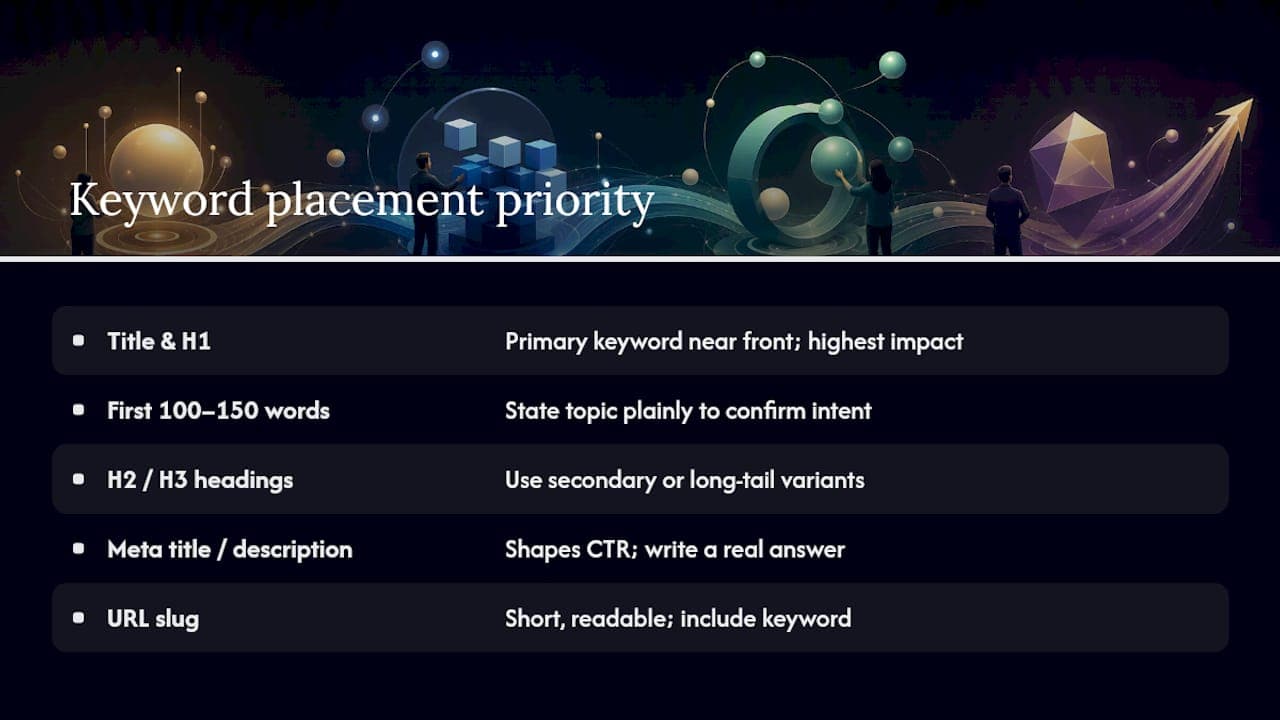
Placement is where most of the SEO value gets won or lost, and it's also where forced, awkward phrasing tends to creep in. The fix is knowing which elements carry the most weight and writing natural sentences that happen to contain the target phrase, rather than writing the phrase first and building a sentence around it.
Title tag and H1. Both should contain the primary keyword, ideally near the front. This is the single highest-impact placement on the page, because it's the first signal both readers and crawlers see. A title like "How to Master Keyword Integration in Content Without Sounding Robotic" hits the target phrase while still reading like something a person would actually click.
First 100 to 150 words. State the topic plainly in the opening paragraph. Readers and search engines both use this section to confirm the page matches what they searched for, and a mismatch here causes bounce rates that hurt rankings more than any density issue would.
H2 and H3 subheadings. Not every heading needs the exact primary keyword, but most should carry a secondary or long-tail variant. This does double duty: it helps you rank for a wider spread of related queries, and structured, question-based subheadings give search engines and AI summarization tools a clear answer to extract.
Meta title and meta description. These don't directly boost rankings, but they shape click-through rate, which is a ranking signal in its own right. Write the meta description as a genuine answer to the query, not a keyword string.
URL slug. Short, readable, and containing the primary keyword where practical: /keyword-integration-in-content beats /post-4471 every time, both for SEO and for anyone glancing at the link before clicking.
Image alt text and captions. Alt text should describe what's actually in the image for accessibility first, and only include the keyword when it's genuinely descriptive. Forcing "keyword integration in content" into alt text for a stock photo of someone typing helps no one, and it can actively hurt screen-reader users trying to understand the page.
Internal and outbound links. Anchor text carrying a relevant keyword variant, attached to a genuinely useful link, reinforces topical signals without adding a single extra sentence.
Here's a quick contrast. Forced: "For keyword integration in content, keyword integration in content requires you to use keyword integration in content strategically." Natural: "Getting keyword placement right means thinking about structure before you write a single sentence." Same intent, radically different reading experience.
Pro Tip: Write your title and H1 last, after the draft is finished. You'll know exactly what the page delivers by then, and the phrasing will fit naturally instead of forcing the article to justify a headline you wrote before you knew what you were building.
One technical note worth flagging: keywords buried in content that only loads via JavaScript, or hidden behind tabs and accordions that don't render in a crawler's initial pass, can get missed or deprioritized entirely. If your CMS renders key sections client-side, check that Google can actually see that text using the URL Inspection tool in Search Console before assuming your placement strategy is working.
Natural integration happens at the sentence level, not the paragraph level. It's less about where a keyword sits and more about the words surrounding it. Two techniques do most of the work here: semantic enrichment and sentence-level editing.
Semantic enrichment means surrounding your primary keyword with related entities, verbs, and problem-solving language that a genuine expert on the topic would naturally use. For an article on keyword integration, that means mentioning things like topical clusters, search intent, Google Search Console, cannibalization, and semantic relevance, not because a tool told you to, but because you can't explain the topic thoroughly without them. This kind of related-language layering signals topical depth to search engines far more effectively than repeating one phrase ever could.
At the sentence level, a handful of editing tactics turn a stiff, keyword-first sentence into something a person would actually write:
Here's a before-and-after that shows the difference. Before: "Keyword integration in content is important. Keyword integration in content helps SEO. You should focus on keyword integration in content for better rankings." After: "Getting keyword placement right shapes how well a page ranks, and it starts with deciding where each phrase actually belongs before you write a single paragraph." Same information, one version a person would actually finish reading.
Practitioners who write first and optimize on a second pass consistently report less forced phrasing than those who try to hit keyword targets while drafting. Trying to satisfy an SEO checklist and find your own voice in the same sentence rarely works. Separate the two tasks.
A short editing checklist for your optimization pass:
Individual writers can wing it. Teams publishing dozens of pages a month need a process that doesn't depend on any one person remembering every rule. A four-stage workflow keeps keyword integration consistent without slowing production down.
Pro Tip: Give the drafting and optimizing stages to different reviewers when you can. A writer who just spent three hours on a draft is the worst person to objectively judge whether the keyword placement reads naturally. Fresh eyes catch forced phrasing in seconds.
This workflow also scales down. A solo writer can run through the same four stages in a single afternoon; the only difference is nobody's handing off between steps.
Tools split into four rough categories, and most teams need at least one from each: research tools to find what people search, semantic guidance tools to check topical depth, on-page editors to catch placement issues, and analytics to confirm it worked.
For research, Google Search Console is free and gives you the clearest picture of what queries already bring traffic to a page, which makes it the natural starting point before spending on anything paid. Surfer and Frase both analyze top-ranking pages for a target query and suggest related terms and entities to cover, useful for the semantic enrichment step covered earlier. On-page SEO plugins built into most CMS platforms flag missing meta descriptions or unused headings, catching mechanical placement gaps a writer might miss on a tired Friday afternoon.
The metrics that actually matter for a single page are query coverage (how many distinct search terms the page ranks for, visible in Search Console), impressions, click-through rate, and average position trend over time. For a cluster of pages, add internal link flow between pieces and whether cluster pages are cannibalizing each other, meaning two pages ranking for the same query and splitting the traffic that one stronger page could have captured.
Run a content audit when a page's traffic drops more than roughly 20% over a rolling three-month period, when a competitor overtakes it in rankings, or on a fixed schedule (quarterly works for most teams) regardless of performance. Rankings decay quietly. Waiting for a dramatic drop before auditing means you're always reacting a quarter too late.
One caution on AI tools specifically: use them for suggestions, not decisions. An AI keyword tool can surface related terms you hadn't considered, but it can't judge whether a phrase fits your brand voice or whether a suggested cluster topic actually matches your audience's intent. Treat every AI-generated keyword list as a draft for a human editor to prune, not a finished plan to execute.
Most keyword integration problems fall into three buckets: over-optimization, cannibalization, and intent mismatch. Each has a distinct symptom and a distinct fix.
Over-optimization, or keyword stuffing, is the easiest to spot once you know the test: read a paragraph aloud, and if the exact phrase appears more than once in three or four sentences, it's stuffed. The fix is almost always the synonym-and-pronoun swap covered earlier, not deletion. You rarely need to cut content; you need to vary the language describing it.
Cannibalization happens when two of your own pages target the same query and end up splitting rankings and traffic that one page could have won outright. Spot it in Search Console by checking whether multiple URLs from your site appear for the same query in the Pages and Queries reports. The fix depends on the pages: merge them into one stronger page if the content overlaps heavily, or clearly differentiate the intent and internal-link between them if they genuinely serve different angles.
Intent mismatch shows up as high impressions with a low click-through rate, or high traffic with a bounce rate that suggests visitors aren't finding what they expected. If your page targets "keyword integration in content" but reads like a dense technical audit when the searcher wanted a beginner walkthrough, no amount of keyword placement fixes that. The correction is rewriting the angle or splitting the page into two, one for beginners and one for advanced technical readers.
A quieter technical issue worth checking: content that renders differently for crawlers than for human visitors, whether through JavaScript-dependent text or aggressive personalization, can mask your actual keyword signals from search engines entirely. If your rankings don't match what you can visibly read on the page, check what Googlebot actually sees before touching a single word of copy.
Running the workflow above by hand works for a handful of pages a month. It gets harder once a team is producing dozens of drafts, several of them starting as AI-assisted first passes that need a human polish before publishing. That's the specific gap Semihuman is built to close.
Semihuman restructures AI-assisted drafts so they read like a person wrote them, while preserving the keyword placements a content-to-keyword map calls for. Instead of choosing between natural phrasing and hitting your placement checklist, the two happen in the same pass. A few ways this shows up in practice:
Picture a marketing team that drafts a first pass with an AI assistant to save time, then needs that draft to carry three secondary keywords, read naturally, and pass a quick human-authenticity check before it goes to an editor. That's the exact optimization-pass gap Semihuman fills, sitting between the rough AI draft and the polished, natural page that's ready for a human reviewer's final look.
Most keyword advice online still treats placement like a checklist you complete once and forget. It isn't. The teams that consistently outrank competitors treat keyword integration as an editing discipline they return to on every single page, not a one-time setup step. The biggest gap between what typical guides say and what actually works isn't the placement rules; it's the sequencing. Write the whole draft with zero keyword thinking, then edit for placement second. Reverse that order and you'll fight your own sentences the entire time.
If your team only takes three things from this guide, make them these: map intent and keywords before anyone drafts a word, write the draft to genuinely answer the question, and treat optimization as its own dedicated pass, not a running tally you check while writing. Skip any one of those three and the other two won't save you.
— Tilen
Writing a keyword-mapped draft is only half the job. The other half is making sure that draft, especially one that started as an AI-assisted pass, reads like a person wrote it before it goes anywhere near "publish." Semihuman is built specifically for that second half.
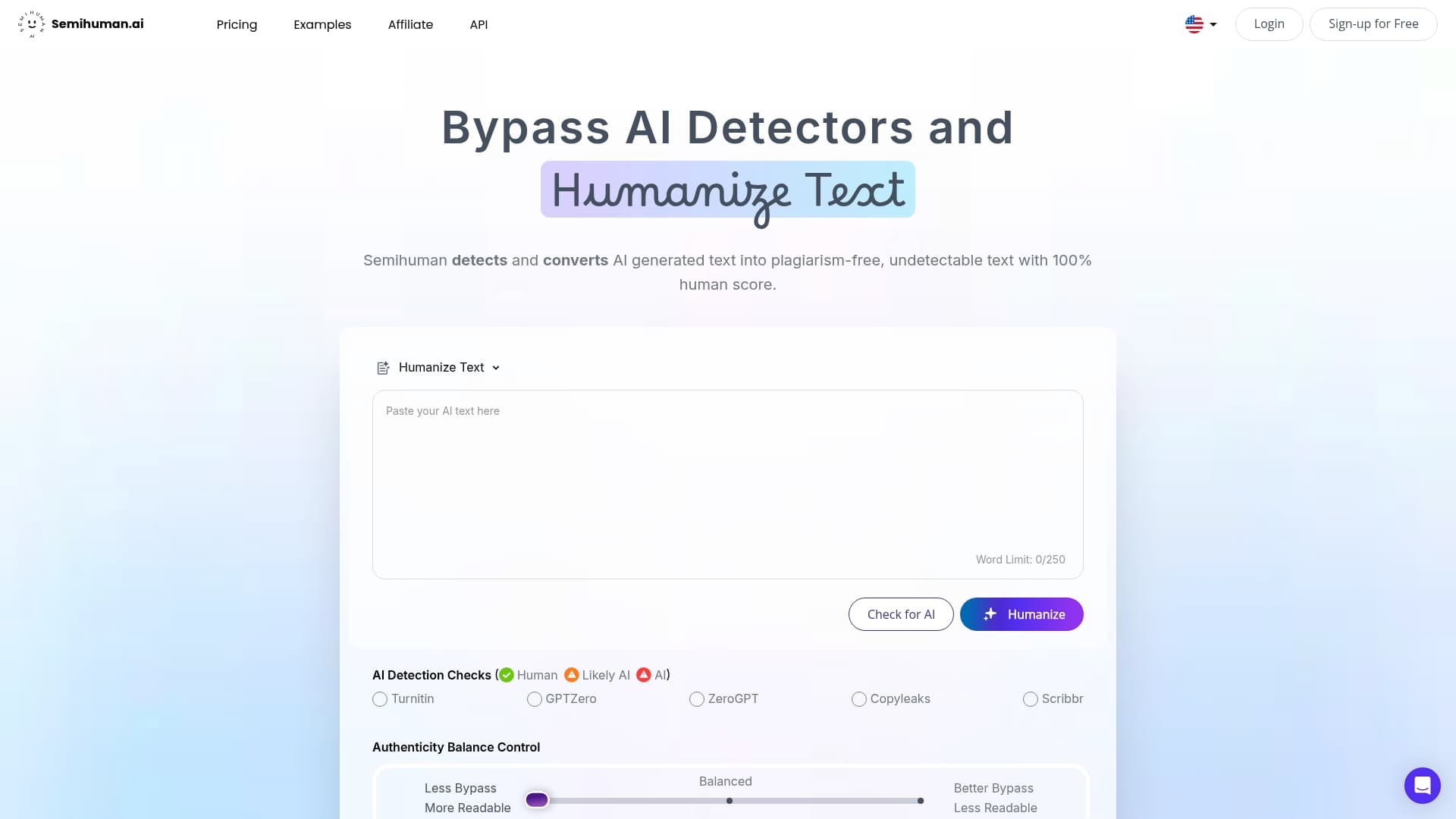
Where most SEO tools stop at telling you where a keyword belongs, Semihuman actually rewrites the sentence around it, applying the same reordering and synonym tactics covered earlier in this guide but at the speed of an editing pass rather than a manual rewrite. If you're running an optimization pass on a draft that already has your primary and secondary keywords mapped in, the SEO text generator can weave those terms into varied, natural phrasing rather than repeating them verbatim. For drafts that need a lighter touch, closer to a rewording pass than a full restructure, the AI text paraphraser handles the sentence-level swaps that keep keyword placement from reading stiff.
If your workflow involves AI-assisted first drafts feeding into a human review stage, run the draft through Semihuman before it reaches your editor. Check the SEO text generator against your next content-to-keyword map and see how the output reads before you publish.
A handful of sources back the placement and mapping guidance throughout this article, and each is worth a closer read on its own.
Decide your primary keyword first, then place it in the title, H1, and opening paragraph before layering synonyms and related terms into your subheadings and body text during a dedicated editing pass.
Keyword integration is the strategic placement of a primary keyword and its semantic variants across high-impact page elements to signal topical relevance to both search engines and readers, without relying on repeated exact-match phrasing.
Start with intent, not phrasing: confirm what the reader wants to accomplish, build a content-to-keyword map assigning terms to sections, write the draft naturally, then apply placement and semantic checks on a separate optimization pass.
A keyword in content writing is a word or phrase that represents the specific topic or question a piece of content is built to answer, used to align the page with how real searchers phrase their queries.
One page should target a single primary keyword, supported by a handful of secondary and long-tail variants assigned to specific sections rather than repeated throughout the whole page.



Start
Humanizing
for Free!
Humanize